
All 24 industry reel generators
AI video ads for saas startups
ReelSeconds turns a sentence about your product into a finished vertical reel. Type what the software does and who is drowning without it, and four automatic stages take over — a script writes the on-screen hook, the narration and the closing ask; a voice records it and hands back word-level timings; a text-to-video stage generates the vertical footage; assembly burns the captions in on those real timings and mixes the audio. A 9:16 MP4 downloads and you post it. That is the whole loop, which is why AI video ads for SaaS startups are now something a founder can do between meetings rather than something a quarter gets budgeted for.
A standard run costs 10 credits and comes back in minutes, unedited and ready to post. Nobody writes a storyboard, books a motion designer or opens After Effects, because none of those steps exist here.
Make a saas startups reel now20 free credits on sign-up — roughly two reels. No card, no editor, no motion designer on retainer.
Software is the hardest thing to put on camera
A restaurant films the food. A gym films the room. A SaaS company films... a cursor, moving across a dashboard, doing something that takes forty seconds to explain and means nothing to anyone who has not already felt the problem. The product is a set of ideas — a workflow that stops leaking, a report that stops being assembled by hand at month end, a handoff between two teams that stops going missing. None of that has a natural image, and that is why most early SaaS video either shows a UI nobody can read on a phone or shows nothing at all and hopes a logo carries it.
The scroll makes it worse. On a vertical feed you are not addressing someone who opened a tab to evaluate tools. You are addressing someone half-watching between two other things, deciding in about a second whether this is for them. The opening line has to name a situation they recognise from their own week, before any part of your product gets mentioned. Almost every founder-written script does the opposite: it opens with what the company is, then explains what it does, then eventually arrives at why anyone should care — which is the correct order for a pitch deck and exactly backwards for a feed.
What this pipeline enforces is that ordering. The script stage writes the hook as a separate artifact from the narration, so the first thing on screen is the thing that earns the next two seconds. The narration then does the explaining, and the captions make sure it survives a muted watch — which is most of them.

A demo is not an ad, and the difference is structural
Most early-stage teams already have a demo video. It runs two to four minutes, it walks through the product in the order the product was built, and it is genuinely useful — on the pricing page, in a sales follow-up, in an onboarding email. It is also the wrong shape for cold distribution, and trimming it does not fix that. A demo assumes attention and rewards it with detail. A vertical ad has to earn attention and gets punished for detail. They are different genres that happen to share a subject.
The practical difference shows up in what each one leads with. A demo leads with capability, because the viewer already agreed to watch. A vertical reel leads with recognition — the moment the viewer thinks "that is my Tuesday" — and only then names the thing that fixes it. It also has to end with a single ask that a phone can act on immediately, not a menu of options. Producing AI video ads for SaaS startups well is mostly a matter of respecting those three constraints instead of shrinking a demo into them.
- Recognition before capability. Open on the symptom your buyer already complains about. Feature names mean nothing to someone who has not yet agreed they have the problem.
- One idea per reel. A demo can cover six things. A reel that covers two covers neither. If your product has five real arguments, that is five reels, not one long one.
- A closing ask, not a closing summary. Every reel ends with something specific — start the trial, book the walkthrough, read the teardown. Vague brand sign-offs waste the only moment where intent is highest.
Founder-led cadence when nobody owns content
Before there is a marketing hire, video output in a startup follows a familiar arc. Someone gets enthusiastic, three reels go up in a week, then a customer escalation eats the next fortnight and the account goes quiet for two months. The account then reads as abandoned, which is worse for a company asking strangers to trust it with their data than having posted nothing at all. The failure is never motivation — it is that each post costs an unpredictable amount of founder time, so it is always the first thing to get dropped.
Making the unit cost small and predictable is what fixes cadence. When a reel is a line of text and a few minutes of waiting, it survives a bad week. It fits between a standup and a support ticket. And because the marginal cost is credits rather than a day, you can run the same argument three ways — a customer-quote framing, a before-and-after framing, a blunt "here is what this costs you today" framing — and keep whichever one people actually respond to instead of defending the first thing you produced.
It also decouples publishing from your own presence. There is no scheduler and no auto-posting here; you download files and post them yourself. But a folder of five ready-to-post reels going into a launch week or a conference is a very different position than an empty calendar and an intention.
- Batch on one afternoon. Write five briefs against five real objections you heard in sales calls this month, generate them in one sitting, and post from the folder over the following weeks.
- Mine your own support queue. The questions users repeat are pre-validated hooks. If three people asked it in Intercom, it is worth a reel.
- Keep the ask consistent. Vary the hook aggressively, keep the closing call to action stable, and you can tell which opening did the work.
The limits, stated plainly
This will not record your product. There is no screen capture, no simulator, no way to point the tool at your app and have it film a workflow. The footage is generated from a text prompt, which means it can evoke the world your software sits in — the ops team at 6pm, the spreadsheet that has become load-bearing, the handoff nobody owns — but it cannot show your dashboard. If a particular argument only lands when someone sees the interface, that is a screen recording you make yourself, and the honest thing to do is make it rather than let a generated frame imply a UI that does not exist.
It is also not a workspace. No timeline editor, no stock library, no team seats, no scheduling, no analytics. You get a 720x1280 MP4 and you take it from there. For a two-person startup that is usually the right trade, because the thing missing was never software with more panels — it was finished files. For a team with a video editor already on staff, this is more useful as a fast first draft than as a replacement for what they do.
And nothing here removes your judgement from the loop. Read the script before you post it. The pipeline writes confident marketing copy from the brief you gave it, which means it will happily state whatever you implied. Claims about outcomes, security posture, compliance or integrations are yours to verify, exactly as they would be if a junior marketer had drafted the same script.
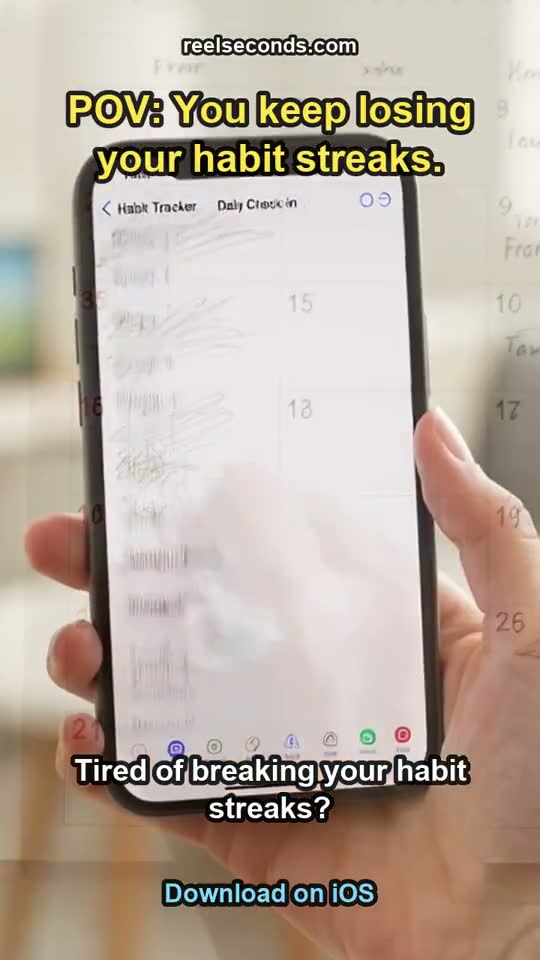
More reels from the same pipeline
The exact studio behind this page also made these — different topics, one workflow. Each is a real generation, labelled with the prompt topic it came from.
From product brief to a postable reel, step by step
- 01
Reduce the product to one argument
Not the category, not the feature list — the single thing that changes for a customer. "Ops leads stop rebuilding the weekly report by hand" is a brief. "Workflow automation platform" is not.
- 02
Pick the SaaS template
The template specialises the script prompt so the output is framed for a scrolling buyer rather than a landing-page reader. It changes the shape of the hook and the closing ask.
- 03
Read the three script pieces
The stage returns the on-screen hook, the spoken narration and the visual prompt separately. That separation is why the narrator never reads a hashtag aloud, and why you can reject a weak hook before any rendering happens.
- 04
The voice records with word-level timings
Timestamps come back with the audio, so the burned-in captions land on the actual read rather than on a re-transcription that drifts a beat behind it.
- 05
Vertical footage generates from the visual prompt
Continuous 9:16 concept b-roll matched to the working world you described. Keep the prompt on people and situations, not on invented screens.
- 06
Download and publish on your own terms
Assembly composites captions, hook, watermark and audio into a 720x1280 MP4. Nothing posts automatically — the file goes to your downloads and you decide where it lands.

Questions founders ask before their first reel
- Can it show my actual product?
- No, and this is the limit worth understanding before you plan around it. There is no screen-recording step, so the footage is generated concept b-roll rather than your interface. That works well for problem-framing reels and poorly for anything where the interface is the argument — for those, record your own screen and use this for the reels that surround it.
- We are pre-launch with no customers. Is there anything to make ads about?
- Usually more than you think, as long as you stay on the problem rather than on proof. Reels about the situation your product addresses, the way people work around it today, and what you are building require no case studies. What you should not do is generate testimonial-shaped copy — the script writes what you brief it, so a fabricated result is your fabrication, not the tool being clever.
- How does this compare to hiring a video freelancer?
- Different jobs. A freelancer produces a small number of considered pieces and can work with your real UI, your brand system and your footage. AI video ads for SaaS startups are for the opposite end — many cheap variants, fast, where the value is testing which framing lands rather than perfecting one artifact. Plenty of teams end up doing both, with generated reels feeding the angle that eventually gets a proper production.
- What does one reel cost?
- Ten credits, and a new account starts with 20 free credits, so roughly two reels before any card is involved. A run takes a few minutes end to end, most of it waiting on the footage stage, and a failed run refunds its credits automatically.
- Is there a watermark?
- Free-tier exports carry a small reelseconds.com mark in the frame. That is fine for checking whether the output suits your positioning, but for anything going out under the company brand or behind ad spend you will want clean exports from a paid plan.
- Can my whole team use one account?
- There are no team seats, shared workspaces or role permissions — it is a single-account tool. In practice that suits the stage most startups are in when they need this, where one founder or one generalist marketer is producing everything. Files are downloaded, so sharing the output is just sharing a folder.
Start free, upgrade when it pays off
Every account starts with 20 free credits — about two saas startups reels, no card required. A standard reel is 10 credits; paid plans run $9.99 Starter to $79 Studio. See the full pricing table.
Sign up free & make a saas startups reelExplore by industry
More industry reel generators
 Dental practices
AI Video Generator for Dental Practices
Patient-education and practice reels for dentists
Open Hair salons
AI Video Generator for Hair Salons
Booking-driven trend and stylist reels for salons
Open Travel agencies
AI Video Generator for Travel Agencies
Destination-mood and seasonal-offer reels for travel sellers
OpenMore industries
- AI Video Generator for Real Estate Listings
- UGC Ads for Skincare Brands
- AI Video Ads for Mobile Apps
- AI Video Generator for Restaurants
- AI Video Generator for Course Creators
- AI Video Generator for Fitness Coaches
- AI Video Ads for Shopify Stores
- AI Video Generator for Etsy Sellers
- AI Video Generator for Law Firms
- AI Video Generator for Nonprofits
- AI Video Generator for Podcasters
- AI Video Generator for Jewelry Brands
- AI Video Generator for Coffee Shops
- AI Video Generator for Car Dealerships
- AI Video Ads for Pet Brands
- UGC Ads for Supplement Brands
- AI Video Generator for Wedding Photographers
- AI Video Generator for Fashion Brands
- AI Video Generator for Home Service Businesses
- AI Video Ads for Dropshipping Products